Showing posts with label Dialogue. Show all posts

Wednesday, 26 February 2025

How To Animate Lipsync - With No Lips

One of the first dialogue exercises tackled by students at Escape Studios is how to animate a character speaking a line of dialogue - but with no mouth.  Students almost always look skeptical at this idea - how can you animate Lipsync - with no lips? 

The answer, of course, is that it's all in the acting and the performance.  If the body language is working, then the audience will believe that the character is speaking - even if the character itself has no mouth.

Tuesday, 25 February 2025

Why Animators Hold Ms Bs & Ps for Two Frames

Hold Ms Bs and Ps for 2 frames minimum
One of the rules of animating lipsync is that you should always hold Ms Bs and Ps for at least two frames if you want them to "read" clearly.

The reason for this is that we need to compress our lips together to make these shapes, after which there is a little expulsion of air. 

For Ms Bs and Ps to read clearly, they need to be making the shape on the screen for at least two frames, even if the dialogue is rapid.

Thursday, 20 February 2025

Animating Lipsync for VFX on "Underdog"


The short video above (15 minutes) is about animating dialogue and lipsync on the Disney live action film "Underdog". The VFX work was done at Cinesite (and also Framestore) in London back in 2006. As part of the development process I drew expression sheets, some of which you can see below. The purpose of these was to help the modelling department create blend shapes for the character rigs, showing a range of expressions and moods, which could then be captured in the animation.  Underdog was a great project, directed by veteran director Frederic Du Chau, with whom I had worked previously on "Quest for Camelot" and "Racing Stripes". 

Monday, 16 December 2024

Why Animators Need "Head Muppeting"

What is "Head Muppeting" in animation? It's a term I first heard used by veteran animator Sydney Padua when she was teaching an animation class at Escape Studios.

"Head Muppeting" is a similar concept to that of "hitting the accents", developed by Richard Williams in his book The Animator's Survival Kit  (we have many copies in the 11th Floor Animation Library).

Head Muppeting means that, when you are animating a dialogue shot, you need to keep the character's head in motion, to make the audience believe that the character is saying the lines.

Friday, 15 November 2024

"Ursula" Thumbnail Sketches by Ruben Aquino

With animation, you get nothing for free.  Animators have to fill this blank space with creative, entertaining animation.  

The secret of success is to plan your animation - start with sketches and scribbles ("thumbnail sketches") which create a road map of where you want to go. 

The video below shows how the master Disney animator Ruben Aquino planned out a dialogue shot with Ursula the Sea Witch in The Little Mermaid.  

"And now look at me...Wasted away to practically nothing!"

Monday, 21 October 2024

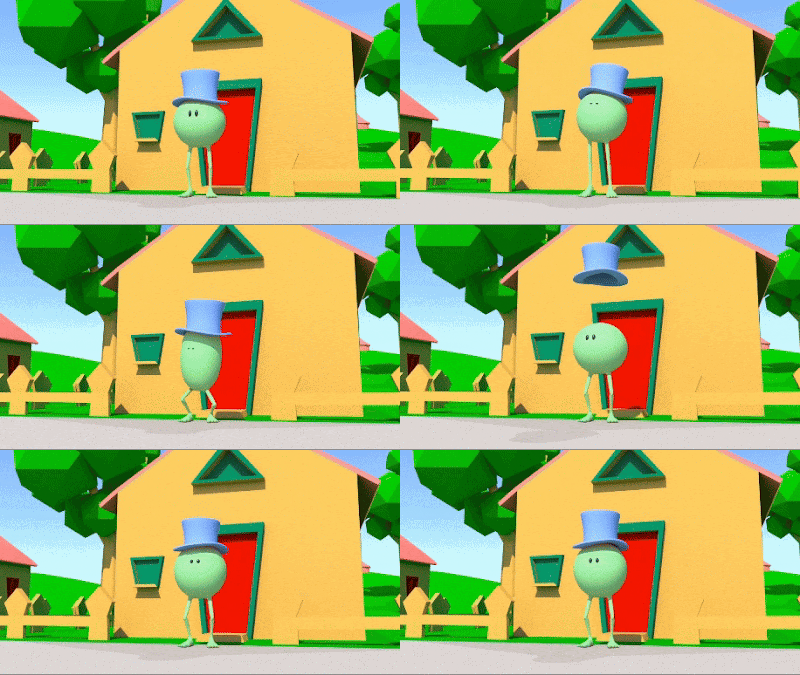
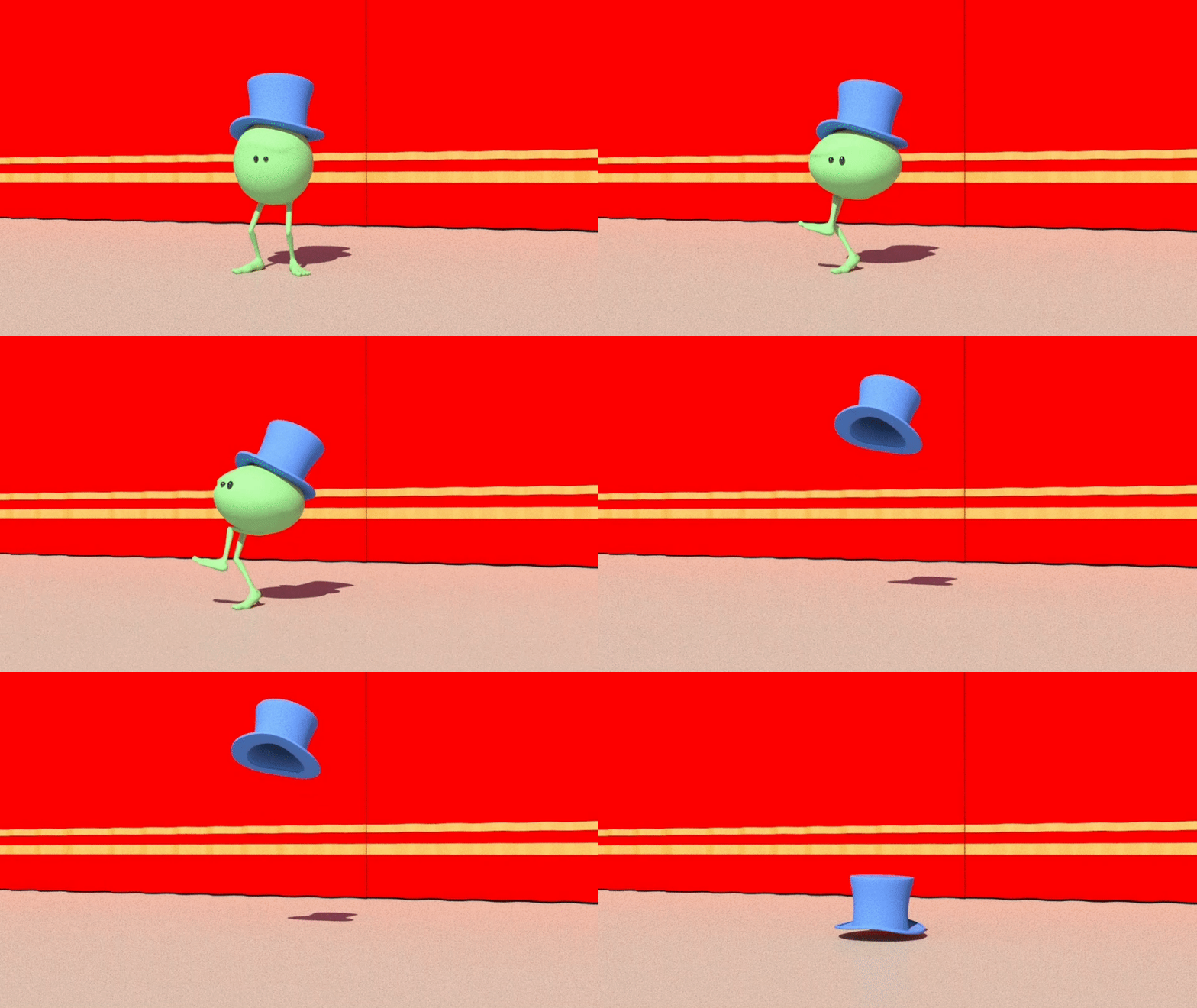
Animate a Sneeze With "Monty"

Animate a sneeze with Monty
In this beginner animation tutorial, we show how to animate a sneeze with Monty, the green pea.

A sneeze is an explosion of air, so we want a big anticipation, and then a big sneeze. 

For extra points, attach a hat to Monty's head, and animate it flying up in the air, spinning and landing again (you will need the Parentmaster plugin for this).

Friday, 28 June 2024

Dialogue Tutorial with Monty: "I'm Outta Here"

Monty: "I'm Outta Here!" 
In the simple animation tutorial below we show how to animate Monty - a character with no mouth - saying a line of dialogue.  

But how can you animate dialogue and lipsync - with no lips?  The answer is - it's all in the performance.  If the body language is working, then the audience will believe that the character is speaking - even if it has no mouth. 

Tuesday, 19 March 2024

Lipsync Tutorial with Marc Stevenson

Undergraduate Programme Leader Marc Stevenson has created a series of Lipsync Tutorials for our students working on character animation. 

The tutorial uses the free "Twigs the Cowboy" rig which you can download here.  You can also find a copy of Twigs in UG Shares.  This tutorial is aimed at our animation students learning the art of dialogue and lipsync. 

Thursday, 29 June 2023

Animate Monty Singing "Oh Yeah"


In the short animation tutorial below we show how to animate a character with no mouth saying a line of dialogue, part of our series of tutorials on character animation and performance.   But how can you animate dialogue and lipsync - with no lips?  The answer is - it's all in the acting and the performance. If the character's body language is working, then the audience will believe that the character is speaking - even if the character itself has no mouth.  In this tutorial we animate "Monty" saying (well, singing) a line of dialogue - "Ohhh Yeahhh". 

Wednesday, 10 August 2022

"Is it Good?" By Lee Caller

"Is it good?" from Lee Caller on Vimeo.

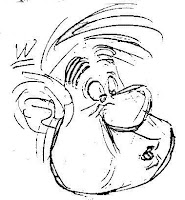
Above is a fine acting shot animated by Escape Studios tutor Lee Caller, one of a number of pieces of animation that Lee has started as a student demo, but - as he puts it - "rarely gets to finish".  In this case, the purpose of the demo was to show students that great animation it not always all about over-the-top super-exaggeration, but more about subtle facial expressions and believable acting choices. The acting reference was taken from the TV series Killing Eve - you can see the original shot here: youtu.be/HDdhotN0Dnw?t=223
Tuesday, 12 April 2022

Lipsync - Two Frames Ahead of the Audio

Cliff Nordberg
Why should your lipsync always be at least two frames ahead of the audio? Because there is a very slight time delay between our mouths making a shape, and the sound being expelled from our lips.

For your audience to be able to read the lip sync clearly you'll want to offset the jaw opening at least two frames before the audio is actually heard. 

If you have the jaw opening and closing exactly on the frame that the audio is heard, your lip sync will feel slightly "off sync", ie a little late. 

Monday, 14 February 2022

Animators Need Wide & Narrow Mouth Shapes

Mouth shapes by Cliff Nordberg
When animating dialogue and Lipsync, animators should always look for a strong contrast between the wide and narrow mouth shapes.

Without this, lipsync can tend to feel a bit like a dustbin lid opening and shutting.

The key is to find flexibility, especially between the wide shapes, such as "ee" shapes, and narrow shapes, such as "oo" or "w" shapes. 

Wednesday, 9 February 2022

Lipsync - Open Wide on the Big Vowels

Wide on the big vowels
When animating Lipsync, animators should always remember to open the mouth wide on the main vowels, especially "A", "EE", and "O" shapes.

The trick with animating good dialogue is to avoid the timing of the mouth shapes feeling soft and mushy. 

By opening wide on the big vowels, animators can get more texture into a dialogue shot, more "light and shade", so that the animation "hits the accents", and makes a more positive statement.

The timing of the open and shut of the jaw should be nice and snappy, with only a single frame ease-in to the wide mouth position.

Monday, 22 November 2021

How to Block out a Dialogue Shot


How do animators plan out a dialogue shot from scratch? As with everything in animation, the secret is in the planning. The key skill that all animators must learn at Escape Studios is how to plan a shot from start to finish.  Start with an idea, think it through, shoot live action reference and draw thumbnail sketches. Then, and only, then should you start creating poses in Maya. 

Saturday, 20 November 2021

Sesame Street Sound Archive

For animators looking for inspiration for some cartoony animation with dialogue, one great place to search is the Sesame Street Sound Archive, which you can find here. 

The Sesame Street Sound Archive is full of cartoony audio clips, which work well with cartoony characters such as Mr Buttons and also the Willy rig.  

To get started, try picking a very short line of dialogue, download it and then drag and drop it into your timeline in Maya. To see more about how to use audio files in Maya, follow this link.  To see more about how to use the "Willy" rig, see this blog post.

Tuesday, 20 October 2020

How to Animate Lipsync


Above is a short video on how to animate lipsync, showing how to keep the process as simple as possible.  The idea is to break things down into easy sections so as to make sure that your work starts off simple and gradually grows in complexity as you layer in the detail. At its simplest, good lipsync is just about opening and closing the mouth on the vowels, and closing it on the consonants. But, developing a system to keep it simple and at the same time get a sophisticated result, is all part of mastering the art and craft of animation.

Sunday, 7 July 2019

Lipsync Tutorial by Simone Giampaolo

We've uploaded a new tutorial on animating Dialogue & Lipsync to our Vimeo channel.

Like the recent tutorial titled Building and Blocking a Scene, this one is by Aardman director and visiting tutor at Escape Studios, Simone Giampaolo.

In this 8-part video, Simone explains how to approach the challenge of animating dialogue and lipsync, breaking the process down into a simple, dependable workflow.

Tuesday, 4 April 2017

Meet Willy! Free Maya Rig by Matthew Moore

Our animators are digging into dialogue and lipsync this week, and one of the rigs they are using is Willy - an excellent free rig, created by Matthew Moore, and free to download for use by Maya animators.

Willy is a broad, flexible and cartoony rig, very simple to use and great for the early stages of learning animation - especially dialogue and lipsync.

However, like all animation rigs, Willy has his quirks. So, how can our animation students get the most out of Willy?

Tuesday, 29 March 2016

How To Animate Lipsync - The Easy Way


Above is an excellent video on how to animate lipsync, showing how to break things down into easy sections so as to make sure that your work starts off simple and gradually grows in complexity as you layer in the detail. At its simplest, good lipsync is just about opening and closing the mouth on the vowels, and closing it on the consonants. But, developing a system to keep it simple and at the same time get a sophisticated result, is all part of mastering the art and craft of animation.